

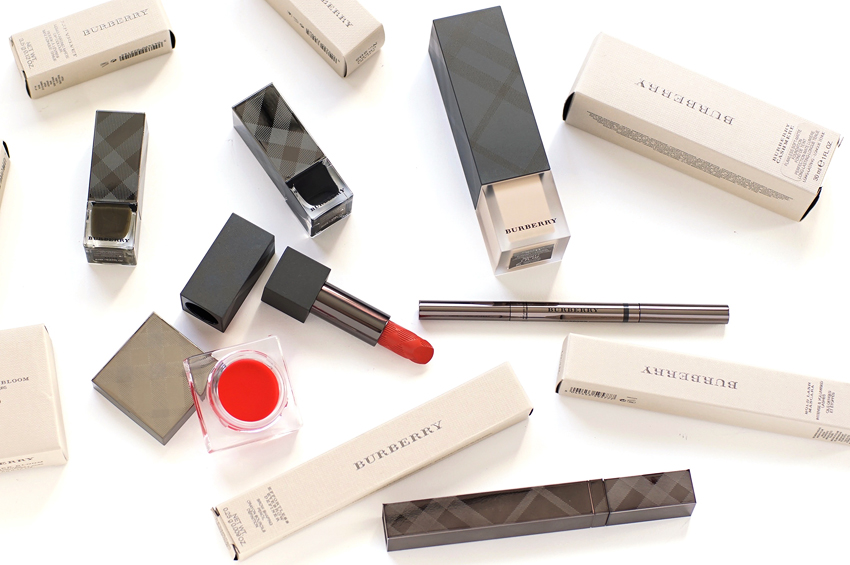
Ugh, I probably shouldn’t film while in a wheat-coma in the future :P Anyhow; enjoy the video, and don’t forget that you can watch fullscreen in HD! (Highly encouraged. Highly.)
526517 Responseshttp%3A%2F%2Fthenotice.net%2F2011%2F06%2Fediting-product-photos%2FTips+for+beauty+bloggers%3A+editing+product+photos2011-06-28+13%3A00%3A44Rae+Chenhttp%3A%2F%2Fthenotice.net%2F%3Fp%3D5265 to “Tips for beauty bloggers: editing product photos”
Okay, I'm still watching, but thanks for the new action thing. I've been using Paint, because it's simpler to open, but if I can resize by just clicking one thing, I might switch to Photoshop.
My recent post Lux Naturals Soap Review: Blackberry Sage
"What is a normal person going to call that? Not your X=Y line? Your diagonal line!"
Pssh, if they didn't get what an X=Y line was, they shouldn't be allowed a computer. =P I kid, of course, but that part was so adorable I had to mention it.
great tutorial.. My workflow is usually edit, resize, and then sharpen. I find that editing is more precise on full size photos. Just my 2 cents :)
My recent post Rock & Republic Haul
So useful, Rae! Especially the "actions" thing – I'll have to check if Gimp has that, as well. And I agree…the less clickies I have to do, the better :D Even if it is just three clicks.
And omg, I always think the same thing when I come across "opacity." I rarely have to say it, and I can say "opaque," well enough, but "opacity?" Weeeeeeird.
I love using Actions as well–it's how I resize and place my watermark, things like that. Great post, will watch again and share later.
My recent post Retail therapy: Apple, MAC, and Hautelook.
Haha, I usually have a bunch of programs running at once – my computer lags if I work on photos at their full 4272 × 2848 size, so I cheat a bit and resize first :P
17 Responses to “Tips for beauty bloggers: editing product photos”
Okay, I'm still watching, but thanks for the new action thing. I've been using Paint, because it's simpler to open, but if I can resize by just clicking one thing, I might switch to Photoshop.
My recent post Lux Naturals Soap Review: Blackberry Sage
"What is a normal person going to call that? Not your X=Y line? Your diagonal line!"
Pssh, if they didn't get what an X=Y line was, they shouldn't be allowed a computer. =P I kid, of course, but that part was so adorable I had to mention it.
You rock. Thanks for the vid, I'm starring this post in my reader. =]
My recent post Lux Naturals Soap Review: Blackberry Sage
great tutorial.. My workflow is usually edit, resize, and then sharpen. I find that editing is more precise on full size photos. Just my 2 cents :)
My recent post Rock & Republic Haul
So useful, Rae! Especially the "actions" thing – I'll have to check if Gimp has that, as well. And I agree…the less clickies I have to do, the better :D Even if it is just three clicks.
And omg, I always think the same thing when I come across "opacity." I rarely have to say it, and I can say "opaque," well enough, but "opacity?" Weeeeeeird.
Annnnd…I still cannot get over how cute you sound.
My recent post Scent by the Sea Part II: My Two Cents on These Ten Scents
I love using Actions as well–it's how I resize and place my watermark, things like that. Great post, will watch again and share later.
My recent post Retail therapy: Apple, MAC, and Hautelook.
Awesome tutorial. I never knew about the 'Actions' thing. Haha, goes to show how bad my Photoshop skills are. >.<
My recent post Début
Great stuff! Love the tip about Actions. Will definitely add that to my workflow. :)
My recent post Hello! Notice Anything Different?
Great tutorial!
I would love to know where you got your background! It's awesome!
LOL! Oh, if only that were true :P Navigating the interwebs would be so, so much easier!
Really glad you liked the post :) xx
Haha, I usually have a bunch of programs running at once – my computer lags if I work on photos at their full 4272 × 2848 size, so I cheat a bit and resize first :P
!! :D :D
Hope you can find something similar to "actions" in Gimp – it's super handy, especially when you have processes with more steps : )
Glad you liked it! xx
Man, I don't even know how to use 90% of the stuff in Photoshop – there's just so much you can do with it! >.<
:) Glad I could be helpful, my dearling!
Oh my gosh, I don't even know – I'm so sorry! If you're really interested, feel free to give me an email and I can send the file to you directly :)
Very helpfulp post/video :) Learnt so many new things!
just started writing a blog it was much needed keep them coming good luck :)
Write a Comment